


AI / Knowledge management
Guided AI analysis, 70–80% less review time, and 40% fewer meetings
AI workspace for company knowledge and document workflows
Challenge
Alfa-Bank’s internal knowledge base brought documents, events, and notes together in a single structure. The team wanted to add AI-powered document analysis, giving employees a way to explore a report from different angles, including competitive, financial, and risk analysis
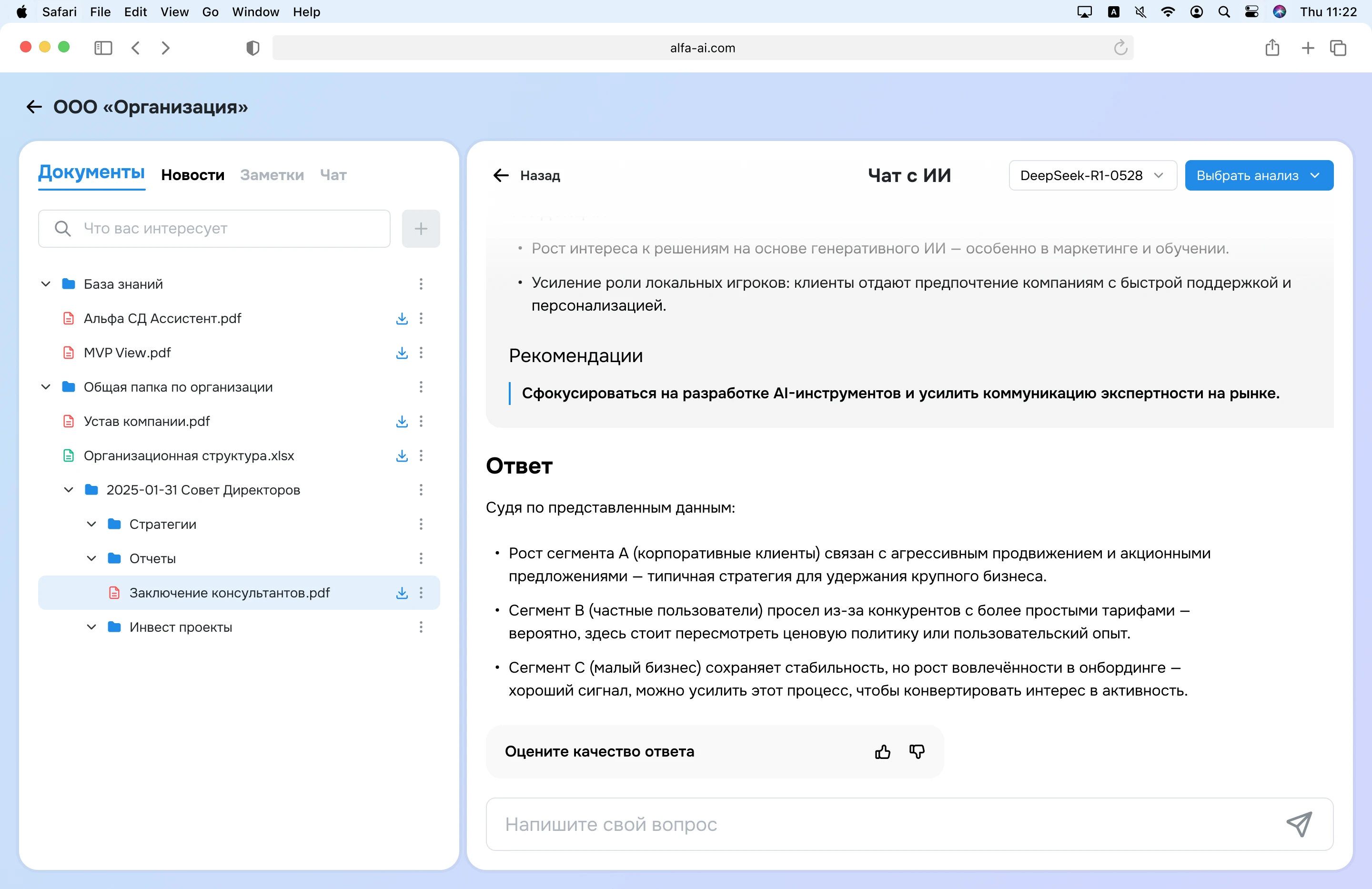
The interface needed to help people choose the right analysis, understand what was happening while AI worked, and continue exploring the answer. It also had to explain why analysis was unavailable for some documents and provide a clear path forward when a request failed
Role — Product Designer
I was the sole product designer on this part of the studio project, working with tasks set by the product manager. I designed the document analysis flow from its initial state through analysis selection, processing, results, follow-up questions, and error handling
Process
Make availability clear
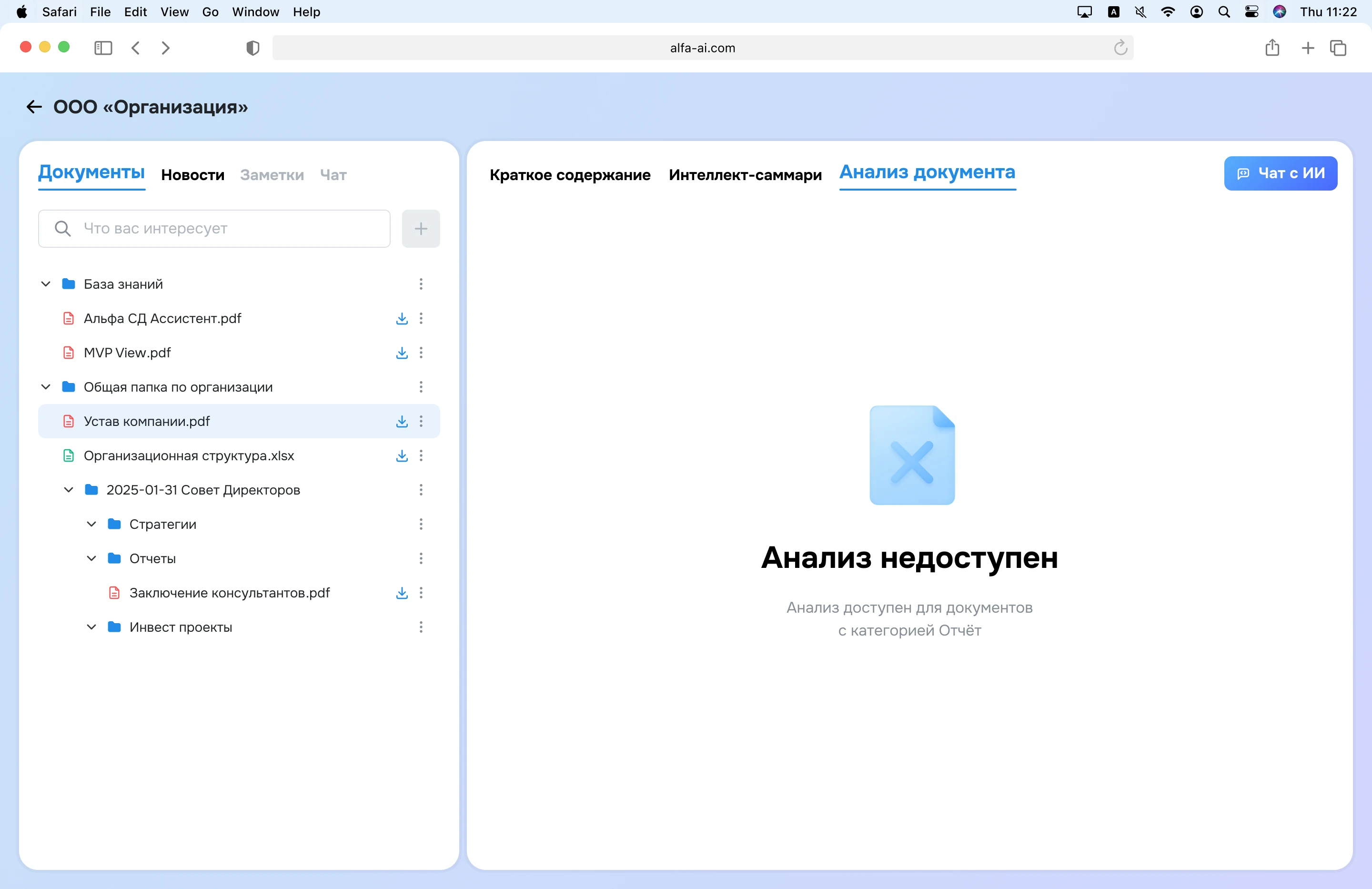
The backend supported analysis only for documents in a specific category, such as “Report.” I designed a dedicated unavailable state that explains this restriction before someone tries to start an analysis
Guide the first choice
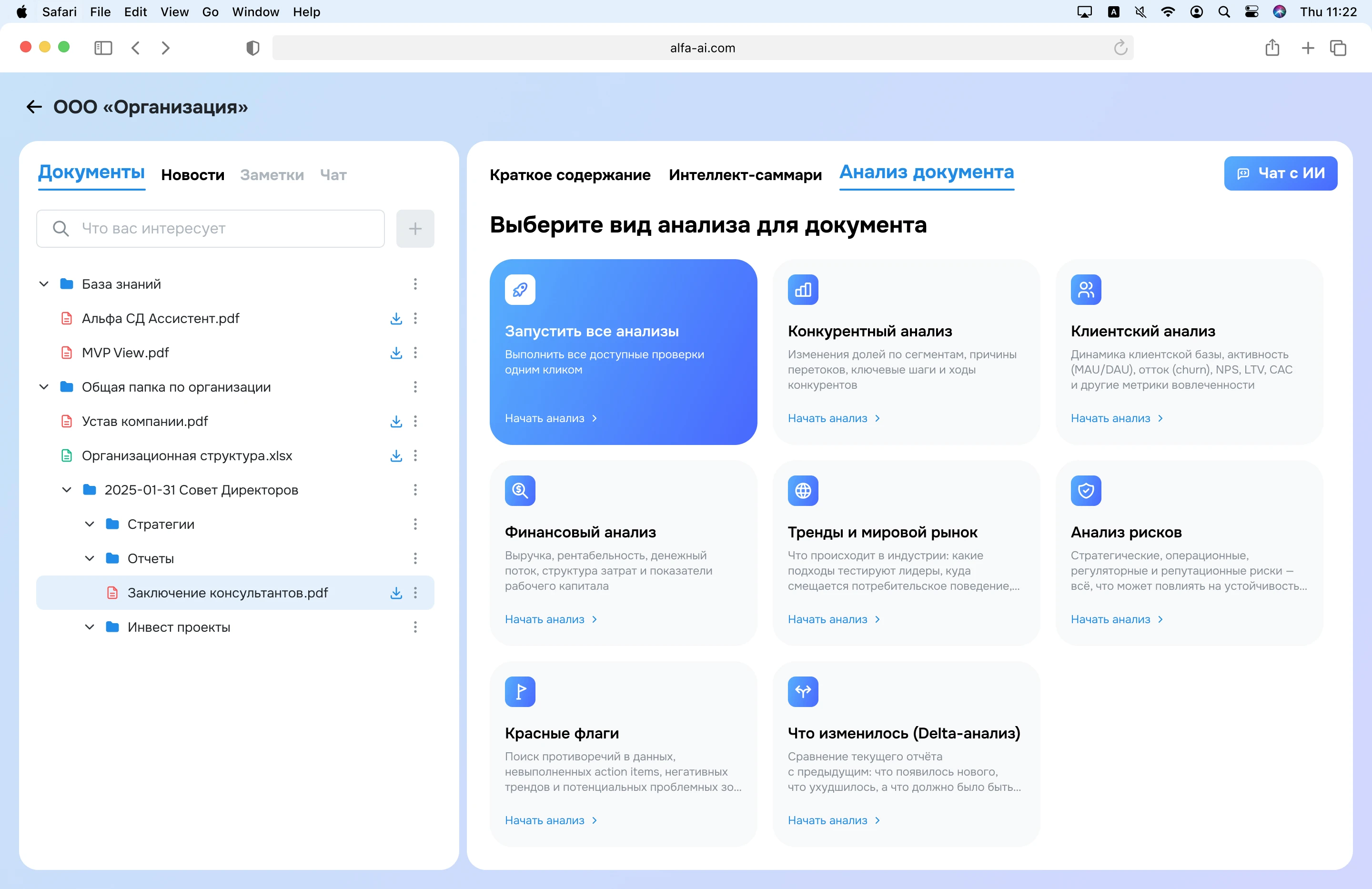
I used cards to introduce each type of analysis. A short description makes the options easier to compare and sets expectations for the result. A separate card lets users run all available analyses when they need a broader view
Support the full journey
The interface names the analysis being performed during processing, presents the result in sections, and links back to the source document. From the result, users can start another type of analysis through a compact menu

Let users go deeper
An analysis result becomes the starting point for a conversation with AI. Users can ask follow-up questions and rate the quality of each response. I proposed the feedback controls so analysts could review user feedback and use it to guide future improvements to the model.
Key decision
I combined guided analysis with open-ended conversation. Cards help users understand the AI’s capabilities on their first visit; once they have a result, a compact menu supports switching analyses without repeating the introduction. The conversation then lets them investigate questions that a predefined analysis may not answer
The card grid takes considerable space and will need to evolve if the number of analyses grows. At this stage, I prioritized clarity while the feature was new to users
Impact
After the AI module was introduced, analysts collected user feedback. Compared with manual document analysis, users reported:
- 70–80%
- less time spent analyzing a document
- 40%
- fewer meetings to clarify information in documents